
Updating or deleting products
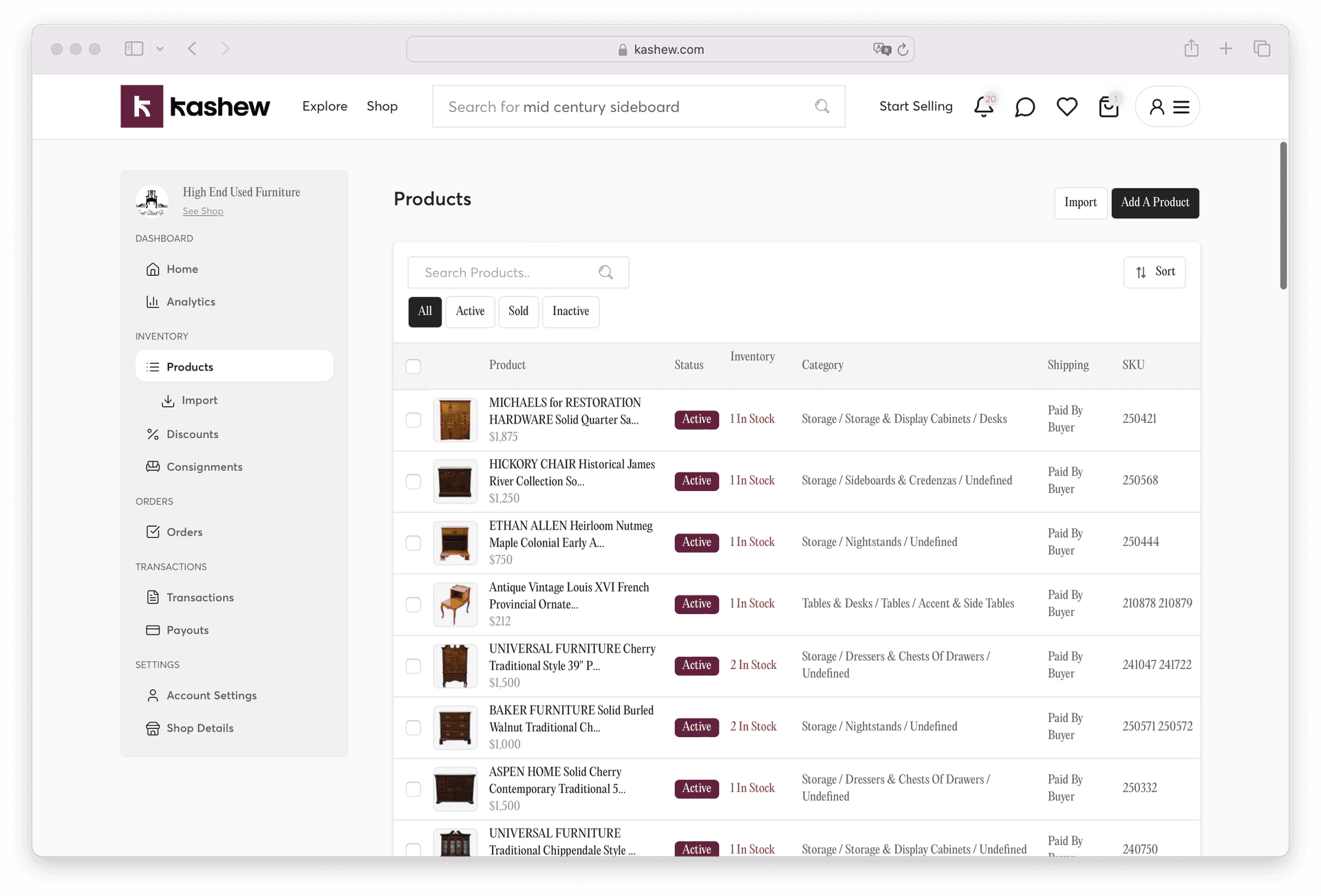
Manage your entire catalog from the Products/Inventory tab: https://www.kashew.com/seller-dashboard?tab=products
There, you can:
- Search across your catalog
- Perform bulk actions (edit/delete multiple items)
- Open any product to edit individual fields such as title, price, dimensions, or description
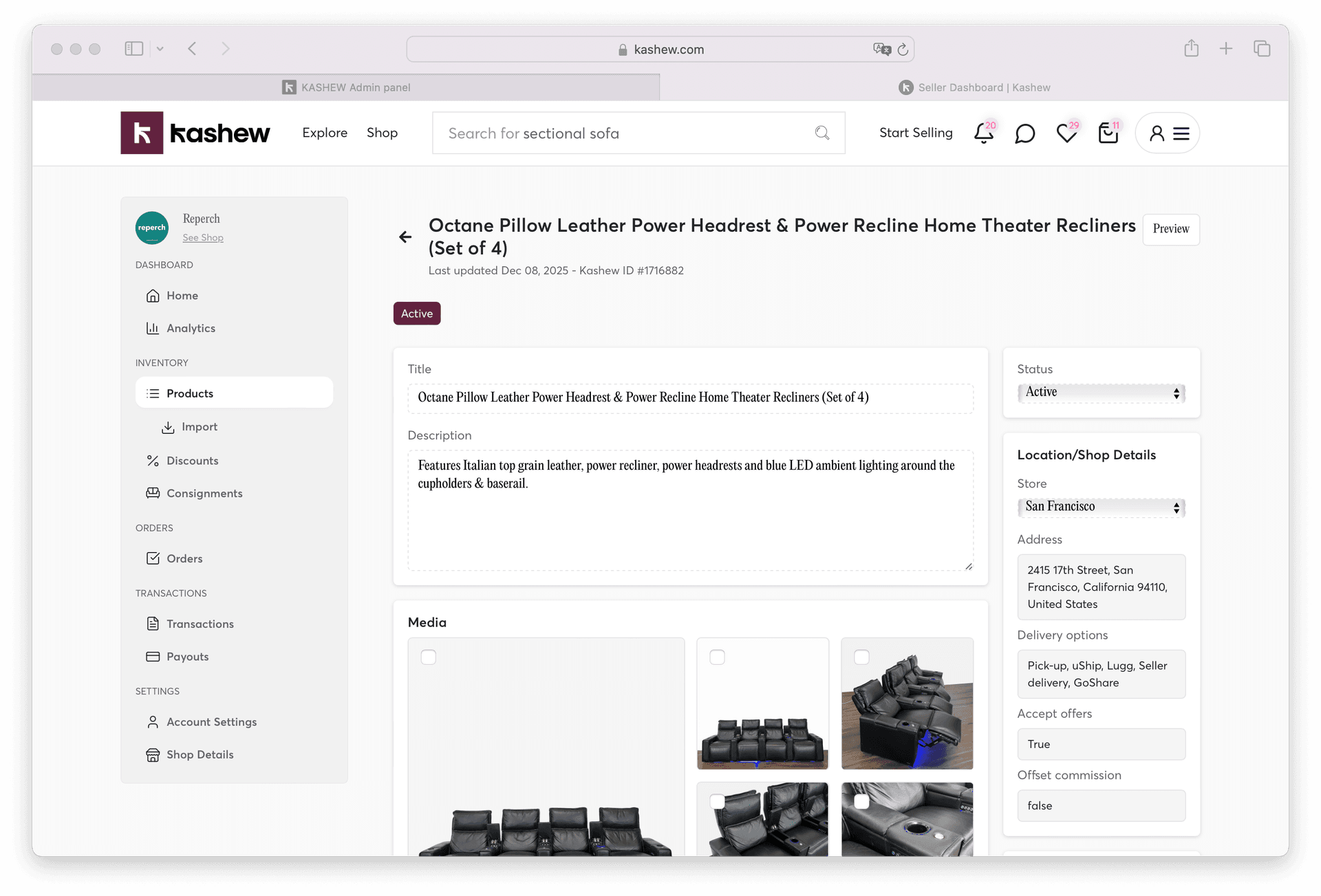
You can also view product insights like:
- Number of users who viewed or added it to their cart
- Any active promotions
- Your expected payout
If an item becomes unavailable or sells elsewhere, you can mark it as Sold.
Related articles
How to maximize your store's potential on KashewSmart Discount: how it works and how to use itCreating a discount or saleAnswering customer questionsAI-generated attributesNegotiating price
If you need more help, don't hesitate to reach out to us at:
Or by phone:+1 (213) 556-2728.
We'll be happy to assist!