
How to maximize your store's potential on Kashew
Whether you're just getting started or have been selling on Kashew for a while, there are several proven strategies that can help you increase visibility, convert more customers, and grow your revenue. Here's a comprehensive guide covering everything from catalog management to customer engagement.
1. Nothing beats catalog and pricing
Your inventory is the foundation of your success on Kashew. Keep your catalog:
- High quality — well-photographed, accurately described products
- Fresh — remove sold items promptly and add new arrivals regularly
- Frequently updated — customers and search engines favor active, evolving stores
- Fairly priced — competitive pricing is one of the strongest drivers of conversion
2. Keep your prices consistent across platforms
Do not increase your prices on Kashew compared to other sales channels. Buyers often compare prices across platforms, and inconsistencies erode trust and reduce conversion. If you use the commission offset setting, keep in mind that it increases your Kashew listing price — make sure the result is still competitive.
3. Optimize your product upload
Upload your products to Kashew from one of our integrations. Ideally, connect Kashew to your main source of truth — the first entry point for your products, such as Shopify, WooCommerce, or your inventory management software.
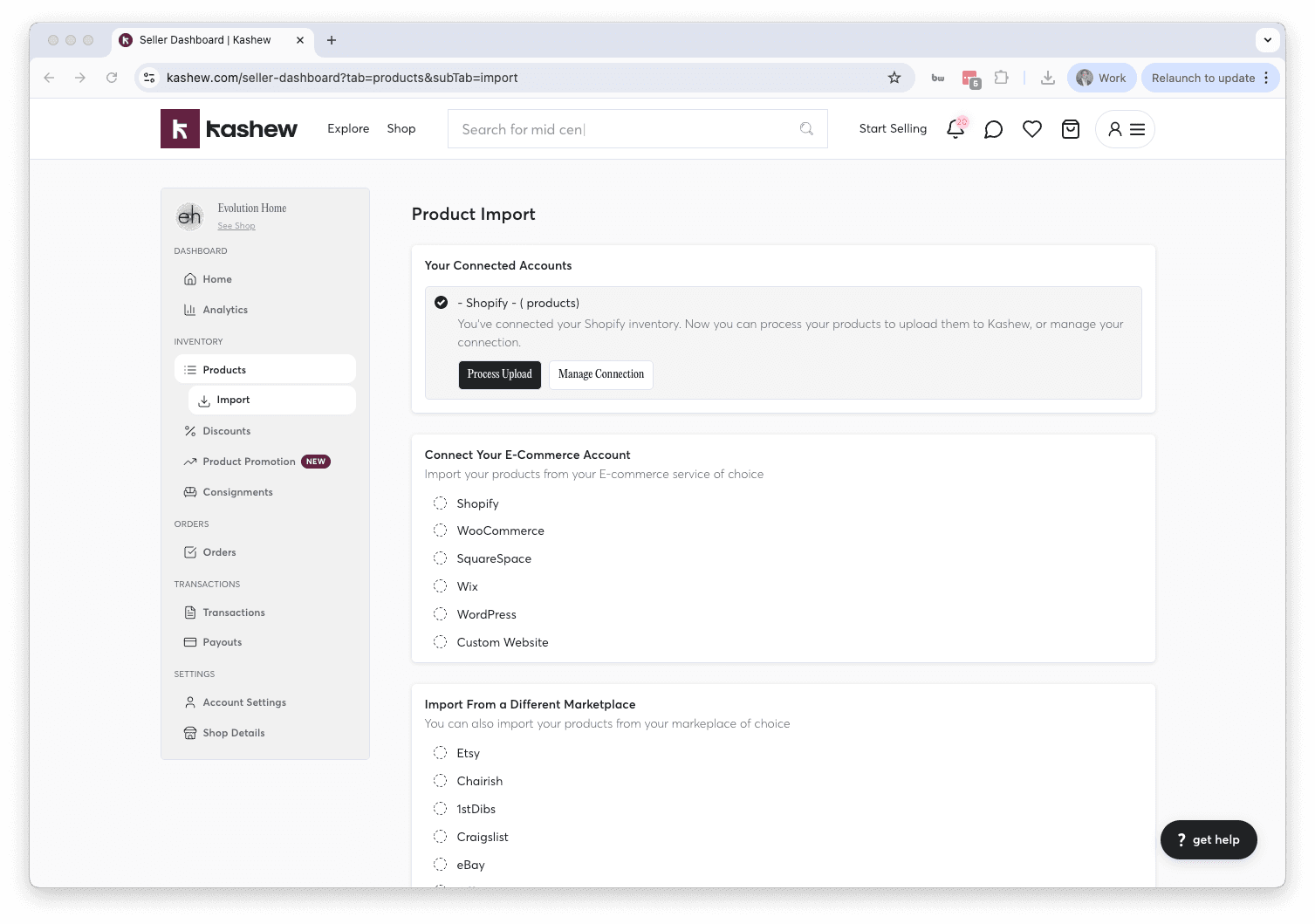
Avoid syncing from secondary platforms like Chairish or Craigslist. Here's why:
- Approval delays — platforms like Chairish may take multiple hours or even days to approve your products. That's precious time that could have been spent advertising and selling them on Kashew.
- Incomplete inventory — not all your products may be listed on those platforms, while your inventory management software has everything.
- Better data quality — your primary system typically has the most complete and accurate product information (dimensions, descriptions, photos).
4. Opt in to most shipping providers
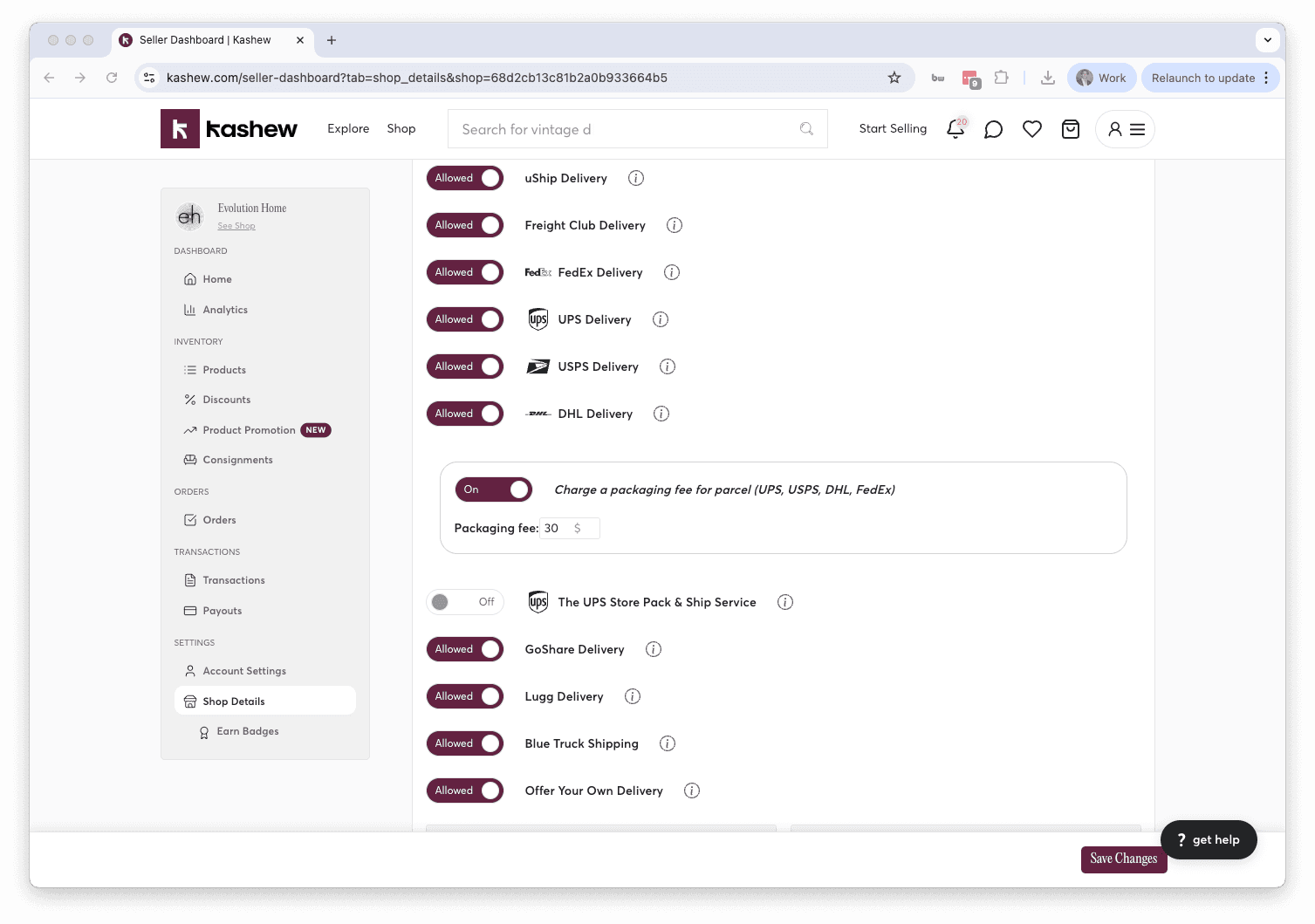
The more shipping options you enable, the more choices customers have to compare prices — and that leads to significantly higher conversion.
For example, opting in to freight shipping reduces shipping prices for your products by about 50% on average. Just be prepared to palletize your items if you enable this option.
You can manage your shipping providers in your store settings. Enabling a wide range of carriers (parcel, white-glove, freight) ensures that customers in different locations get the best possible rate.
5. Set up automated counteroffers and auto-accept orders
Speed matters. When a customer places an order or sends an offer, every minute they wait is an opportunity for them to browse elsewhere and find a different product.
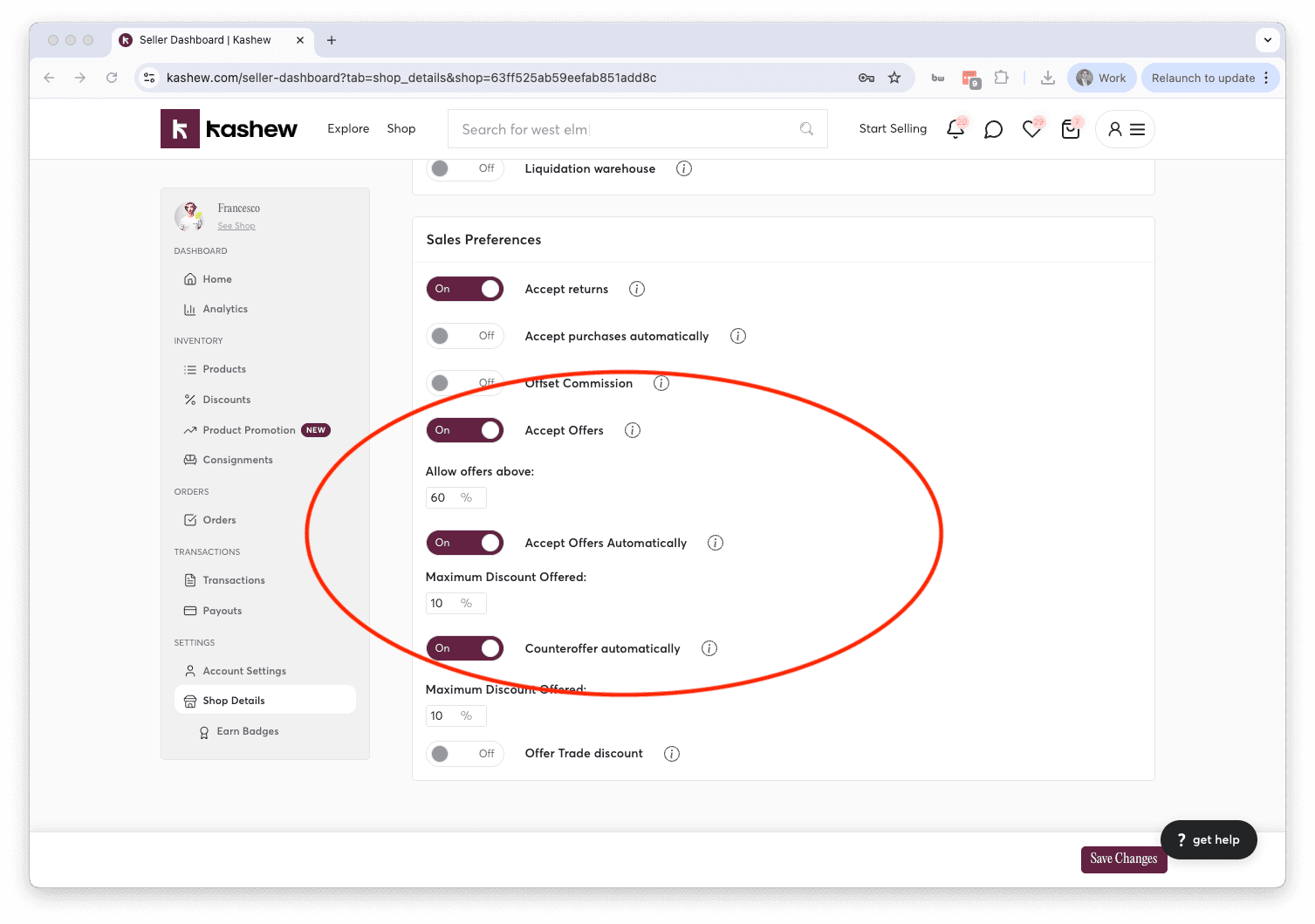
By setting up automated counteroffers and auto-accepting orders, you:
- Give customers an immediate response, making it easier for them to commit
- Reduce the chance of them shopping around on other sites or with other sellers
- Create a seamless, frictionless buying experience
You can configure both settings in your store preferences.
6. Turn on Smart Discount
Smart Discount is one of the highest-leverage settings on Kashew. With one toggle you decide on a small built-in discount (we recommend 10%) and Kashew quietly uses it across the entire buyer journey to convert shoppers who are on the fence.
When Smart Discount is on, here is what happens behind the scenes:
- Offers within range are accepted instantly. If a buyer sends an offer within your Smart Discount percentage, we accept it for you on the spot — no waiting, no back-and-forth.
- Cart, favorite, and question signals trigger a limited-time offer email. When a shopper adds your item to their cart, hearts it, or asks a question, Kashew can send them a private, limited-time offer at your Smart Discount rate, with a one-click checkout link that already has the discount baked in.
- Verified interior designers buy at your Smart Discount rate. Trade members who check out from your store get your Smart Discount automatically, instead of Kashew applying its standard trade incentive on top of your listing price. This makes your store more attractive to designers without hurting your payout structure.
You set Smart Discount once at the store level and can override it on individual listings if you want. The default is 10%, and you can pick anything between 5% and 50%.
Sellers who turn this on typically see a meaningful lift in conversion on items that would otherwise sit in carts and favorites without ever closing.
For a deeper dive into how Smart Discount works, see the Smart Discount article. You can enable it from your store settings or directly from the Discounts tab.
7. Respond to customer questions quickly
Being a fast responder makes a huge difference in conversion. When a customer asks a question on your listing page:
- They are actively engaged with your product — a quick reply keeps that momentum going
- They feel more confident buying from you, having already had a pleasant interaction
- They gain more trust when they see your "Fast Responder" badge
Customers who do not receive a response within 3 hours see a conversion drop of nearly 80%. That question on your listing is often the last step before a purchase — don't let it go unanswered.
8. Fill out your profile thoroughly
A complete seller profile isn't just about looking professional — it directly helps your SEO. Google ranks well-built profile pages higher in search results, bringing you organic traffic.
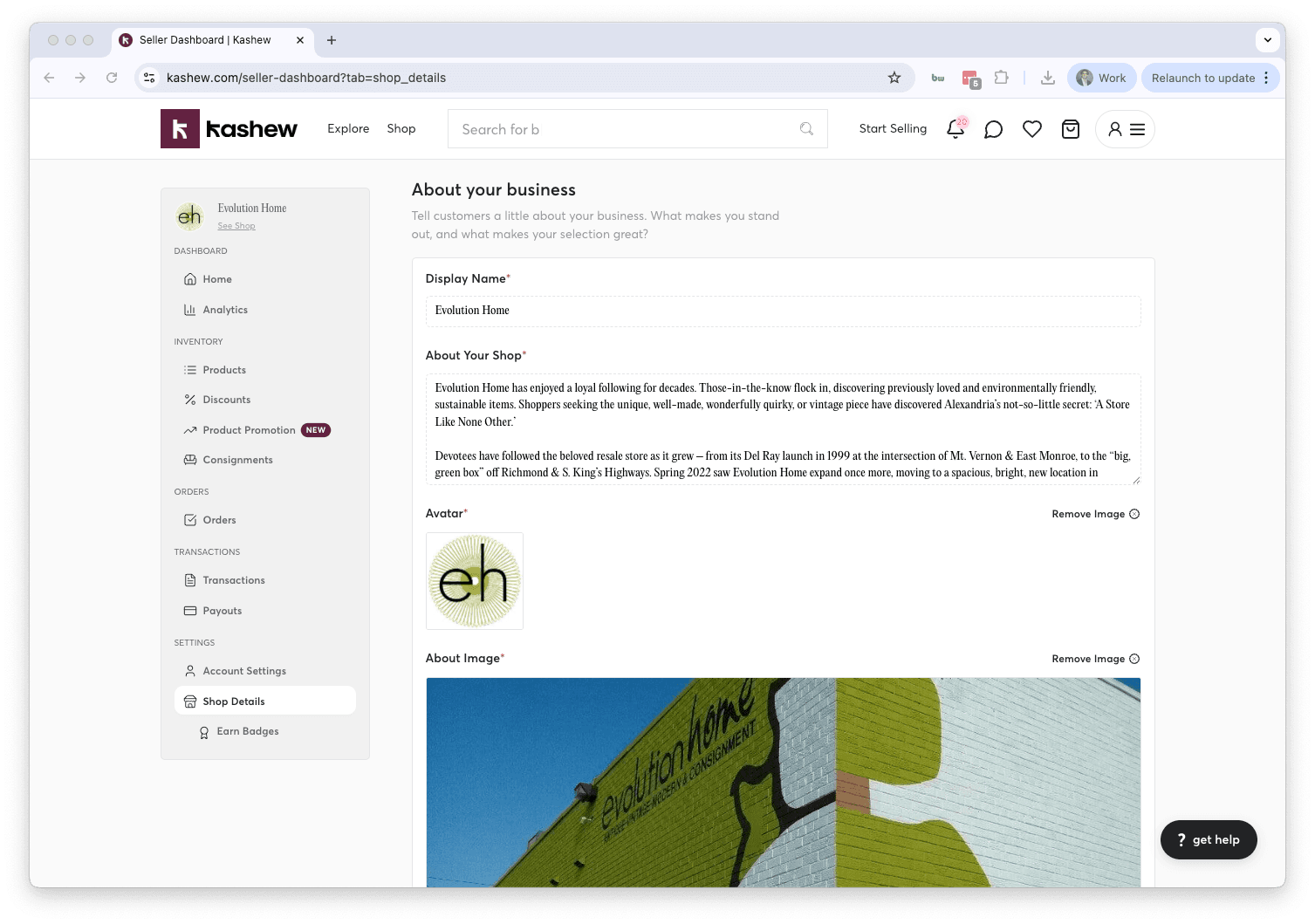
Make sure to add:
- Pictures of your store or showroom
- A detailed description of your business
- Relevant tags (e.g., mid-century modern, vintage, contemporary)
Set up your profile here: Shop Details
9. Invest in listing quality
The quality of your listings has a massive impact on whether a customer decides to buy. High-performing listings share these traits:
- High-quality images — bright, well-lit photos from multiple angles
- Dimensions always included — this is critical for furniture; missing dimensions are a top reason customers skip a listing
- Many photos — show every angle, close-ups of materials and details, and any imperfections
- Thorough descriptions — materials, condition, style, brand, and any relevant history
- Transparency and honesty — buyers greatly appreciate accurate, upfront information. It builds trust and significantly reduces returns.
10. Prioritize branded items
Branded furniture and home goods consistently outperform non-branded items on Kashew. In fact, branded items have a sell-through rate roughly 3x higher than non-branded products.
If you carry brands like Restoration Hardware, Pottery Barn, West Elm, Crate & Barrel, Ethan Allen, or designer names, make sure those items are front and center in your catalog. Always include the brand name in the product title and details.
11. Boost your profile regularly
Every now and then, give your store a visibility boost. You have two great ways to do this:
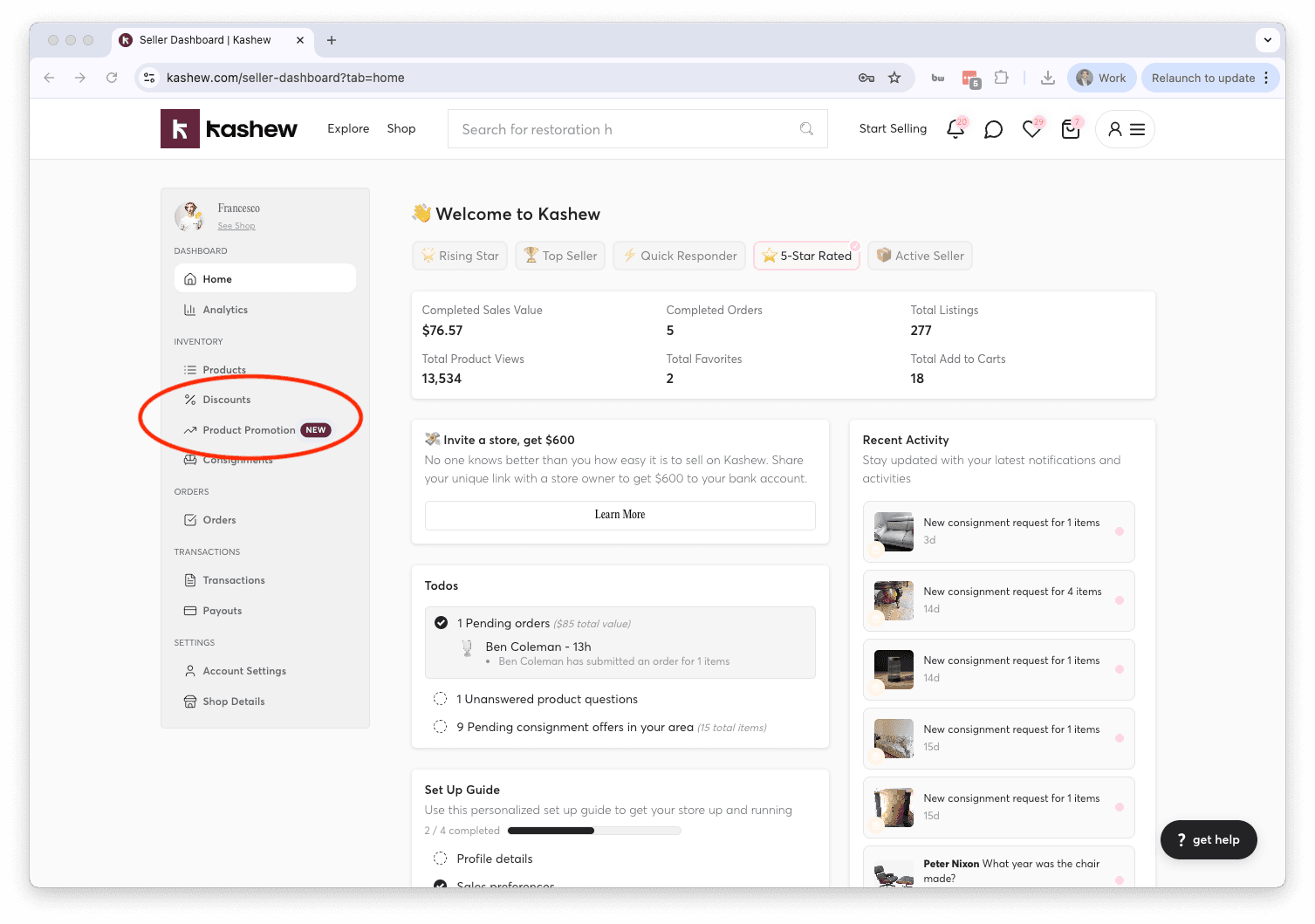
- Promote your products — Kashew gives you $30 in free promotional credits to get started. Promoted items appear in higher positions across the site.
- Run a sale — creating a discount or sale draws attention to your store and can significantly increase traffic and conversions.
12. Earn badges and maintain a great review score
Your reputation on Kashew is one of your most valuable assets. Badges and reviews are displayed on your profile and on every listing, influencing buyer confidence.
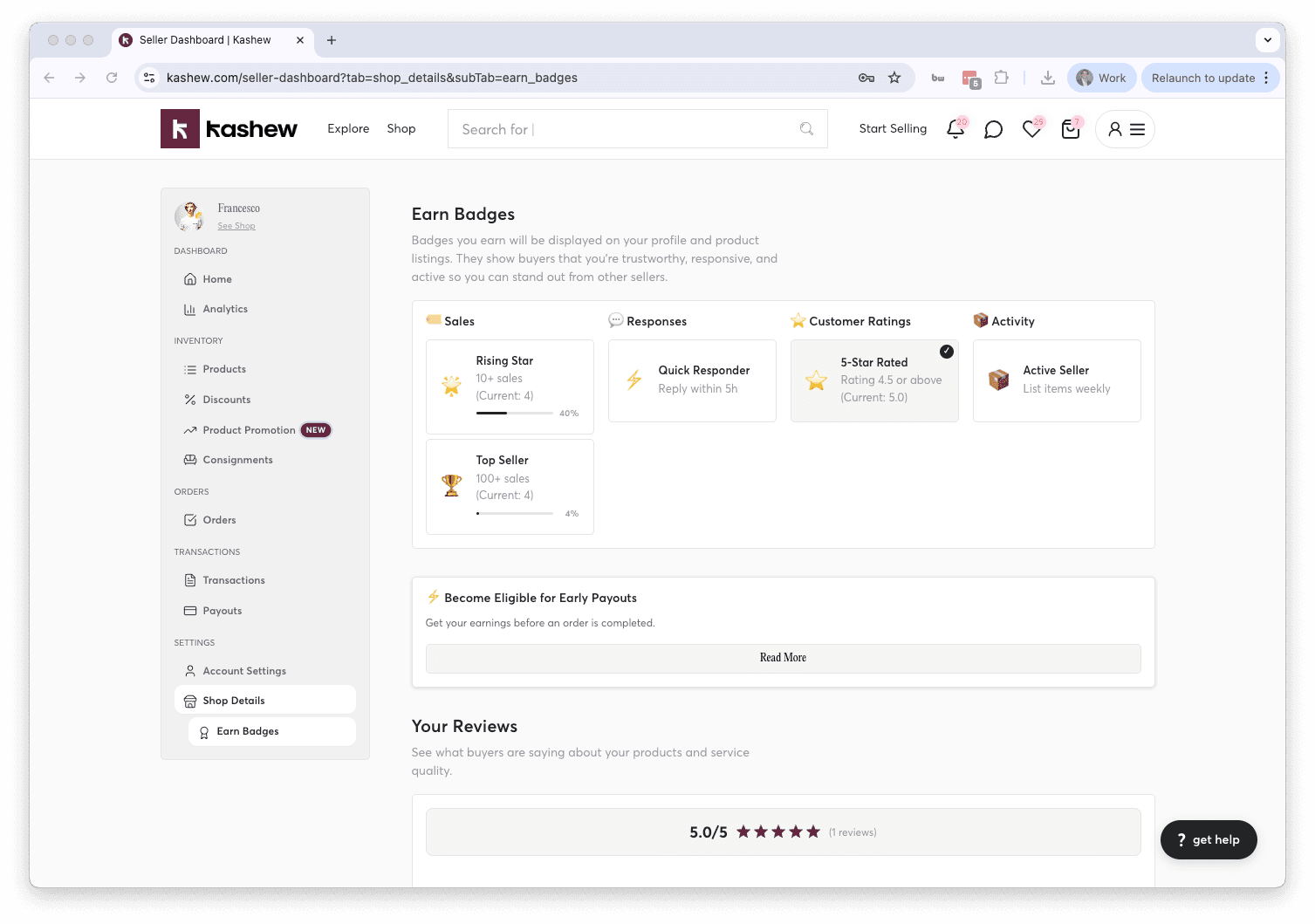
Badges are earned by hitting milestones — such as number of sales, fast response times, and positive reviews. The more badges you earn, the more credible your store appears to potential buyers.
To maintain a strong review score:
- Ship items promptly and in good condition
- Communicate clearly and quickly with customers
- Be honest and accurate in your listings
- Resolve any issues professionally
Following these best practices consistently will help you stand out, sell more, and build a loyal customer base on Kashew. If you have questions or need help with any of these, reach out to [email protected] or call +1 (213) 556-2728.
Related articles
If you need more help, don't hesitate to reach out to us at:
Or by phone: