
Accepting an order or offer
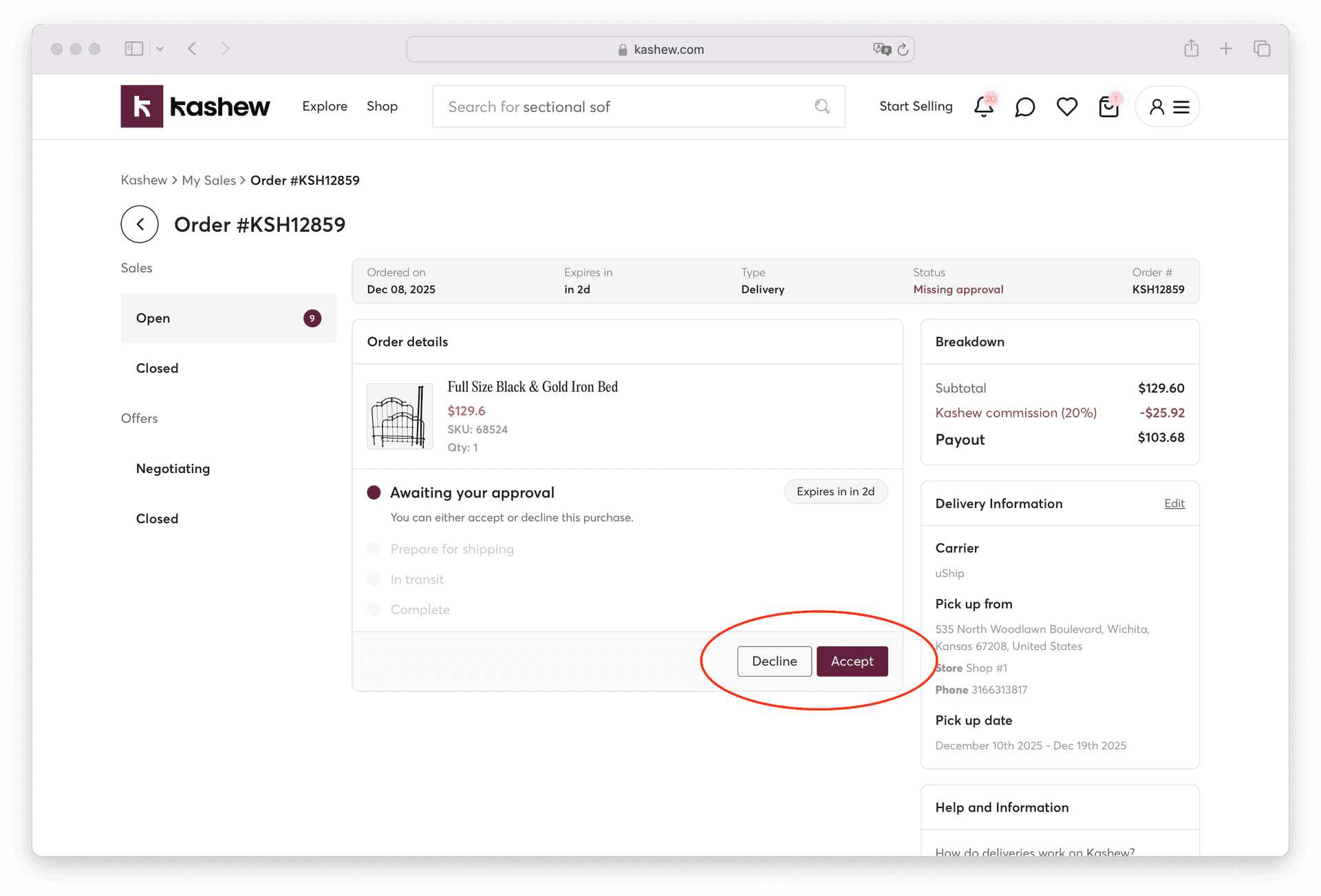
Regular orders are paid up-front
When a customer places a regular order, their card is charged at checkout — the order is already paid for by the time you see it. Your only job is to fulfill it: prepare the item, hand it to the carrier (or the buyer for pickup), and the payout is released after the order is completed.
Manage your paid orders here: https://www.kashew.com/sales?tab=sales&selection=openSales
If you cannot fulfill an order — wrong item, sold elsewhere, damage in storage — decline it from the order page. We'll automatically refund the buyer in full.
Offers still need your approval
Offers work differently. The buyer's card is only charged if you accept the offer. You have 48 hours to accept, decline or counter. After 48 hours, the offer expires and no payment is taken.
Manage your pending offers here: https://www.kashew.com/sales?tab=offers&selection=openOffers
Offers are restricted to a maximum of 20% off the listing price (so the lowest possible offer is 80% of list). Buyers cannot send anything below that.
Auto-accept settings
You can configure your store to automatically accept offers up to a discount of your choice (max 20%) and to automatically counter offers below that. When auto-accept fires, the buyer's card is charged immediately. If their card declines at that moment, the offer is automatically rejected and the buyer is notified to fix their payment method — no held funds, no half-finished orders.
These options live in your store settings under "Sales Preferences."
Related articles
If you need more help, don't hesitate to reach out to us at:
Or by phone: