
Early payouts
Normally, sellers on Kashew are paid when an order is completed — meaning the item has been delivered, picked up, or marked as complete. With Early Payouts, eligible sellers can get paid sooner, even if the delivery has not been completed yet.
How it works
When Early Payouts is enabled, you receive your payout 20 days after the order is approved — or when the order is completed, whichever comes first.
This applies to delivery orders that are still in transit or awaiting shipping. Pickup orders are not affected because they are typically completed quickly.
There is no fee for using Early Payouts. Your payout amount is the same as it would be with a standard payout.
Eligibility
To unlock Early Payouts, you need:
- At least 15 completed sales on Kashew
- At least $15,000 in total sales
- A connected Stripe account (set up in the Payouts tab)
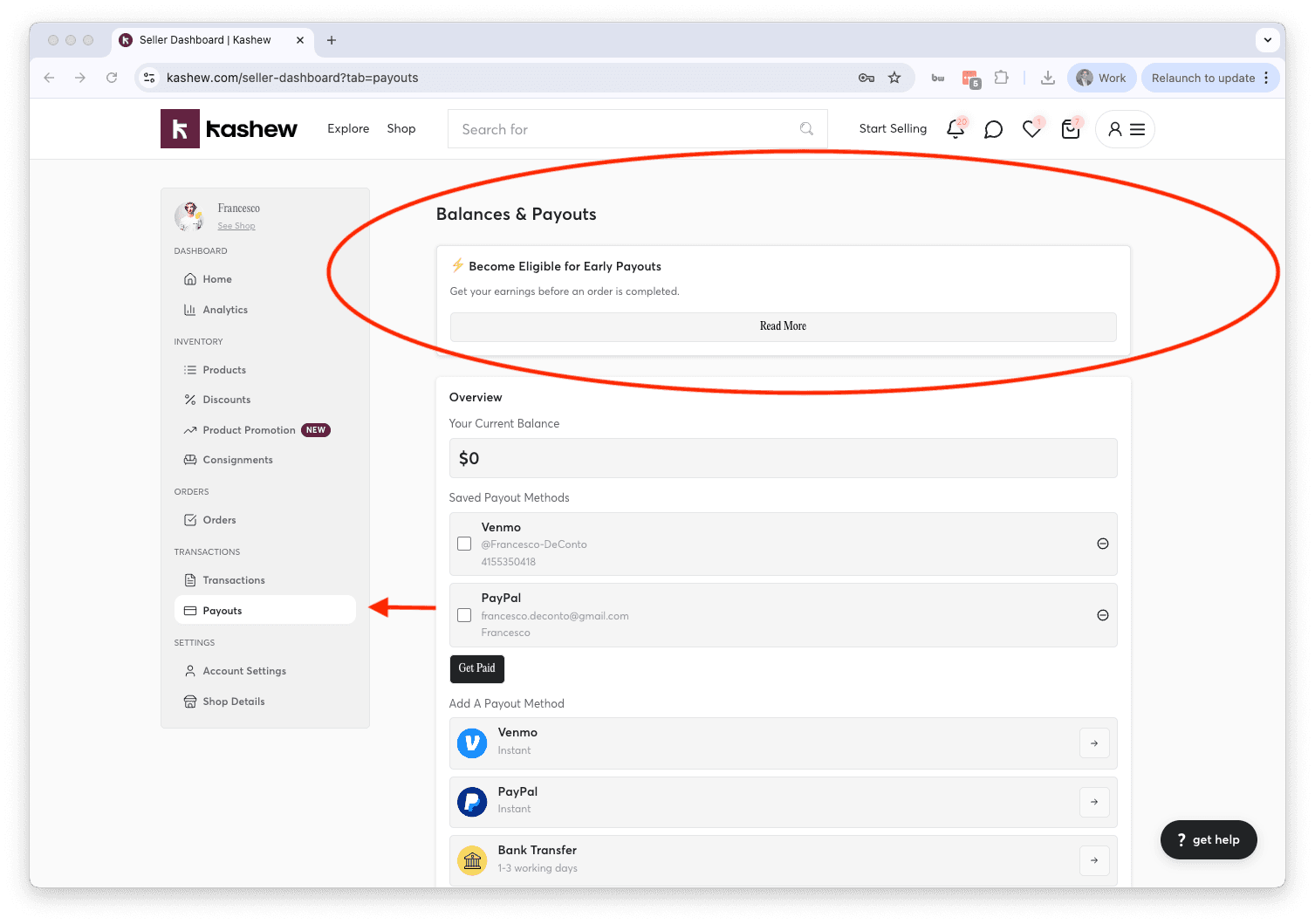
Once you meet these requirements, an Early Payouts card will appear on your Seller Dashboard home page and in the Payouts tab.
How to enable
1. Go to your Payouts tab or your Dashboard home page.
2. Find the Early Payouts card and click "Read More" or "Enable Early Payouts".
3. Review the details and click "Confirm & Enable Early Payouts".
You can disable Early Payouts at any time from the same card.
Good to know
- Early Payouts is an account-level setting — once enabled, it applies to all eligible delivery orders automatically.
- Payouts are added to your account balance, which you can withdraw anytime from the Payouts tab.
- If an order that was paid out early is later cancelled, the payout amount will be deducted from your balance.
If you need further help, contact us at [email protected] or call +1 (213) 556-2728.
Related articles
If you need more help, don't hesitate to reach out to us at:
Or by phone: