
Delivery service upgrade request
Sometimes after an order has been approved, you may need to switch to a different delivery carrier — for example, if the originally selected carrier cannot fulfill the shipment or if a different service would be more suitable for the item.
The delivery service upgrade request feature allows you to change the delivery service level from one carrier to another directly from the order details page.
When is this available?
The "Change delivery service level" button appears in the order details page when:
- The order has been approved
- The order is a delivery order (not a pickup)
- The order status is "Looking for carrier" or "Awaiting shipping"
- There is no existing upgrade request already pending
How it works
1. Open the order from your Sales page and click "Change delivery service level".
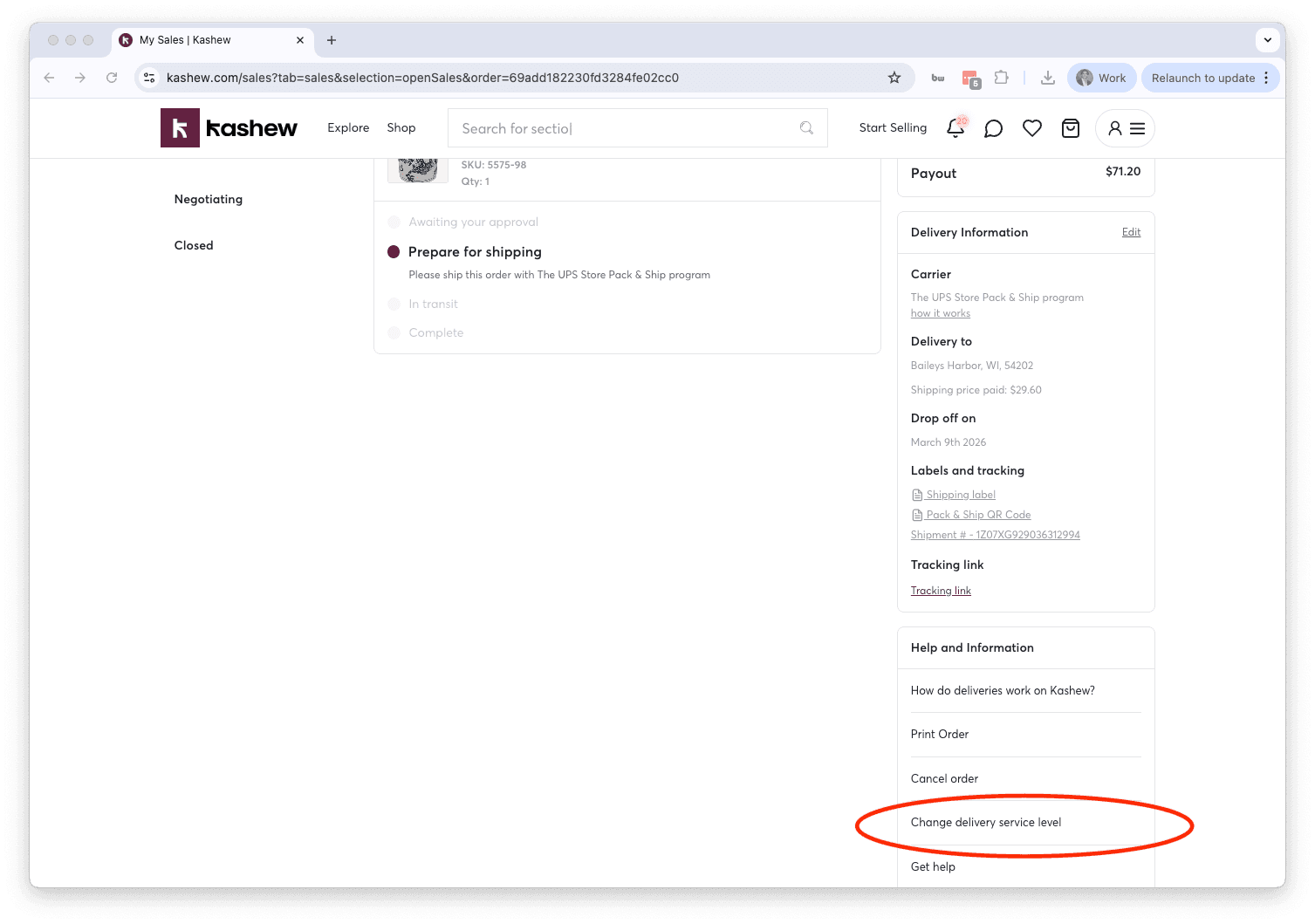
2. Review the information screen explaining how the process works, then click "Go to next step".
3. Kashew will calculate available shipping options for the order. Each option shows the carrier name and the price difference the customer would need to pay.
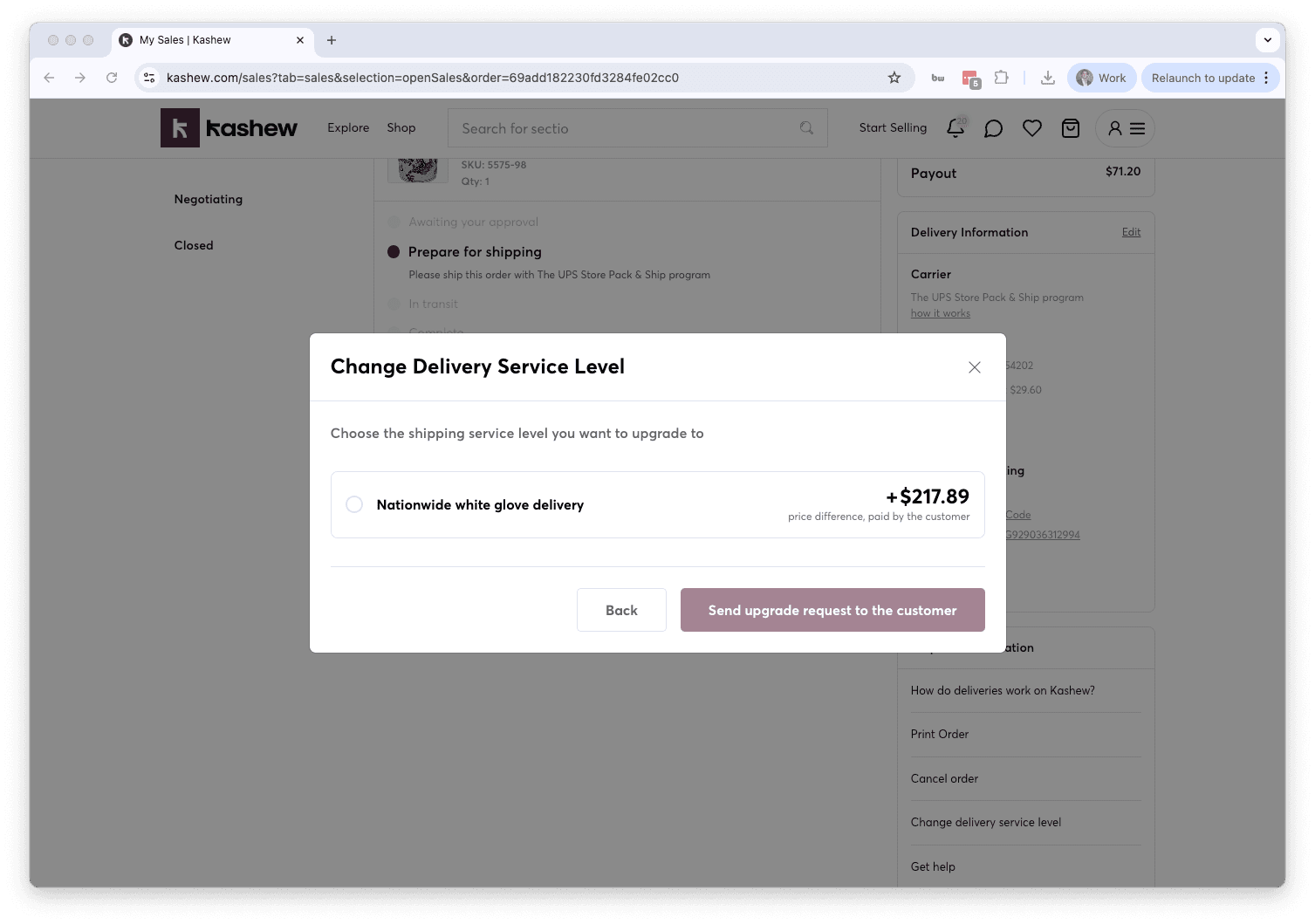
4. Select the carrier you want to switch to and click submit.
What happens next
If the price difference is minimal (under $20): the delivery service is upgraded immediately and the customer is notified. No additional payment is required from the customer.
If there is a price difference of $20 or more: a request is sent to the customer asking them to approve the change. The customer can:
- Accept — they pay the price difference and the delivery switches to the new carrier
- Decline — the order is cancelled
While waiting for the customer's response, you will see a "Delivery upgrade requested by you" section on the order details page showing the date and the requested service. You can withdraw the request at any time before the customer responds.
Important considerations
- Use this only when necessary. The price difference can be significant and may lead the customer to cancel their order.
- The customer pays the price difference — it does not affect your payout.
- If the customer declines the upgrade, the order will be cancelled.
- You can only have one active upgrade request per order at a time.
If you need help or have questions, contact us at [email protected] or call +1 (213) 556-2728.
Related articles
If you need more help, don't hesitate to reach out to us at:
Or by phone: