
Issuing a partial refund
If something goes wrong with an order—minor damage during delivery, a missing accessory, or any other issue—you can issue a partial refund directly from the order page without having to cancel the entire order.
How to issue a partial refund
Open the order from your Sales page: Sales page
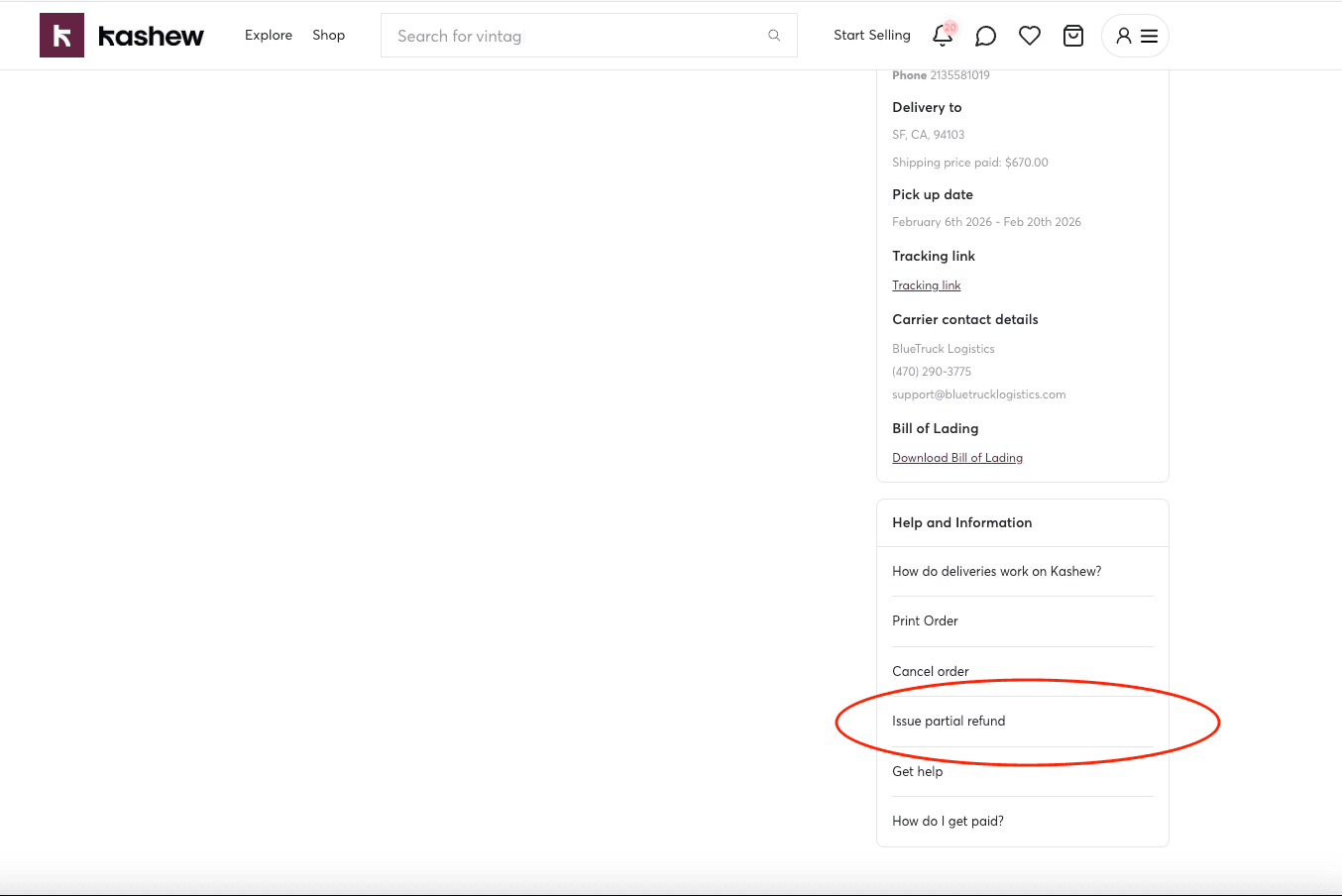
Scroll down to the Help and Information section and click "Issue partial refund."
Choosing what to refund
Depending on the order, you may be able to refund one or more of the following:
- Item value — available on all orders
- Delivery — only available when you handle delivery yourself (seller-arranged delivery)
- Packaging — available on delivery orders that include a packaging fee
- Palletizing — available on delivery orders that include a palletizing fee
You can select one or more categories at the same time.
Flat fee vs. percentage
After selecting what to refund, choose how you want to calculate the amount:
- Flat fee — Enter a specific dollar amount (pre-tax).
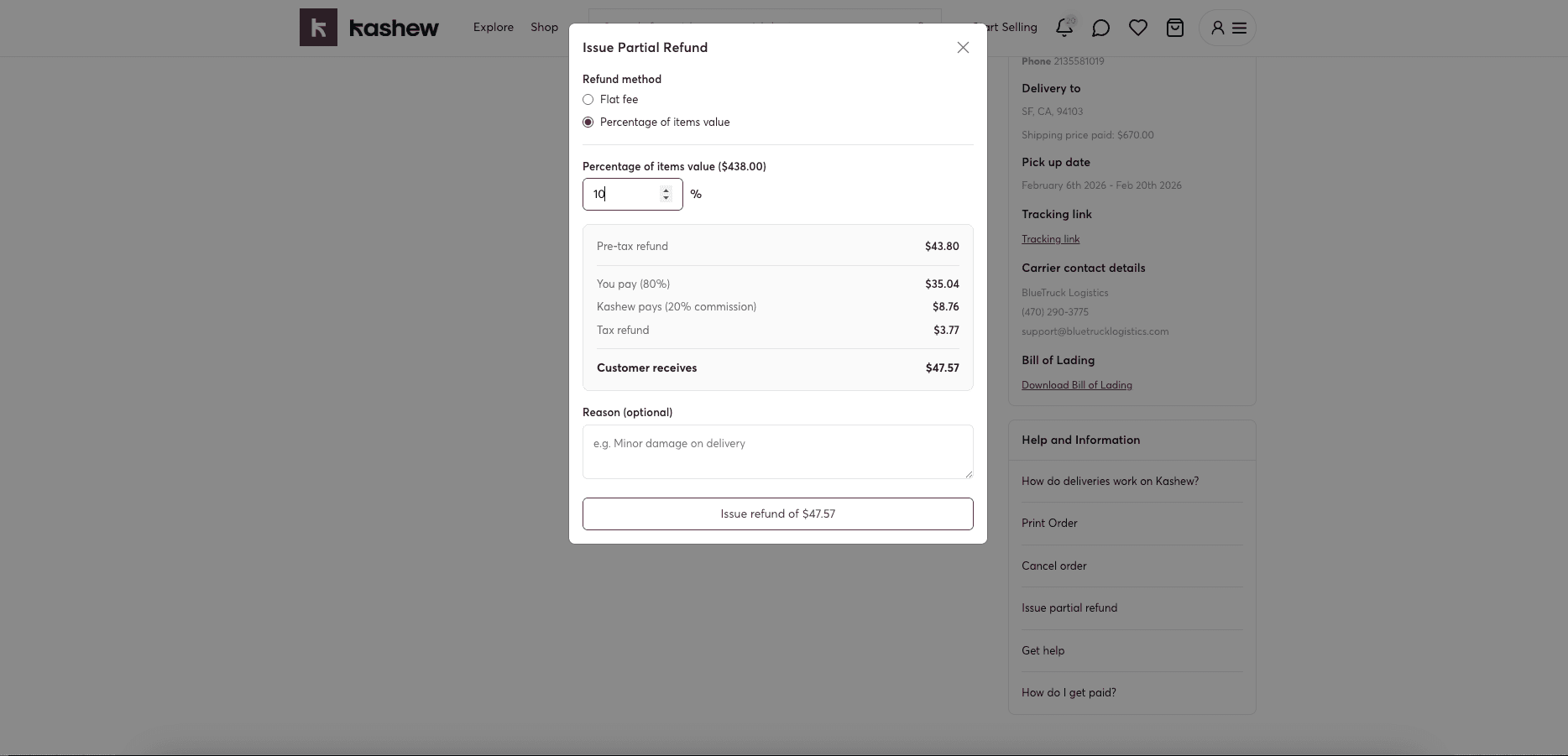
- Percentage — Enter a percentage of the selected categories' value. For example, 25% of the item value.
How the refund is split
You don't pay the full refund yourself. The cost is split based on Kashew's commission structure:
- You pay your portion of the item value (typically 80%).
- Kashew pays its commission portion (typically 20%).
- Tax on the refunded item amount is automatically refunded to the customer on top of the base amount.
For delivery, packaging, and palletizing refunds, you pay 100% since those go directly to you as the seller.
What the customer receives
The "Customer receives" amount shown at the bottom of the refund summary is exactly what gets refunded to the customer's original payment method. This includes the pre-tax refund amount plus the applicable tax refund.
Refunds typically appear in the customer's account within 2–10 business days, depending on their bank or payment provider.
Things to know
- Partial refunds are only available on orders that have been approved (paid).
- You can issue multiple partial refunds on the same order, as long as the total doesn't exceed what the customer originally paid.
- Partial refunds cannot be reversed once issued.
- If you need to issue a full refund instead, use the "Cancel order" option.
Related articles
If you need more help, don't hesitate to reach out to us at:
Or by phone: